Budgeting is a pain. It doesn't have to be.
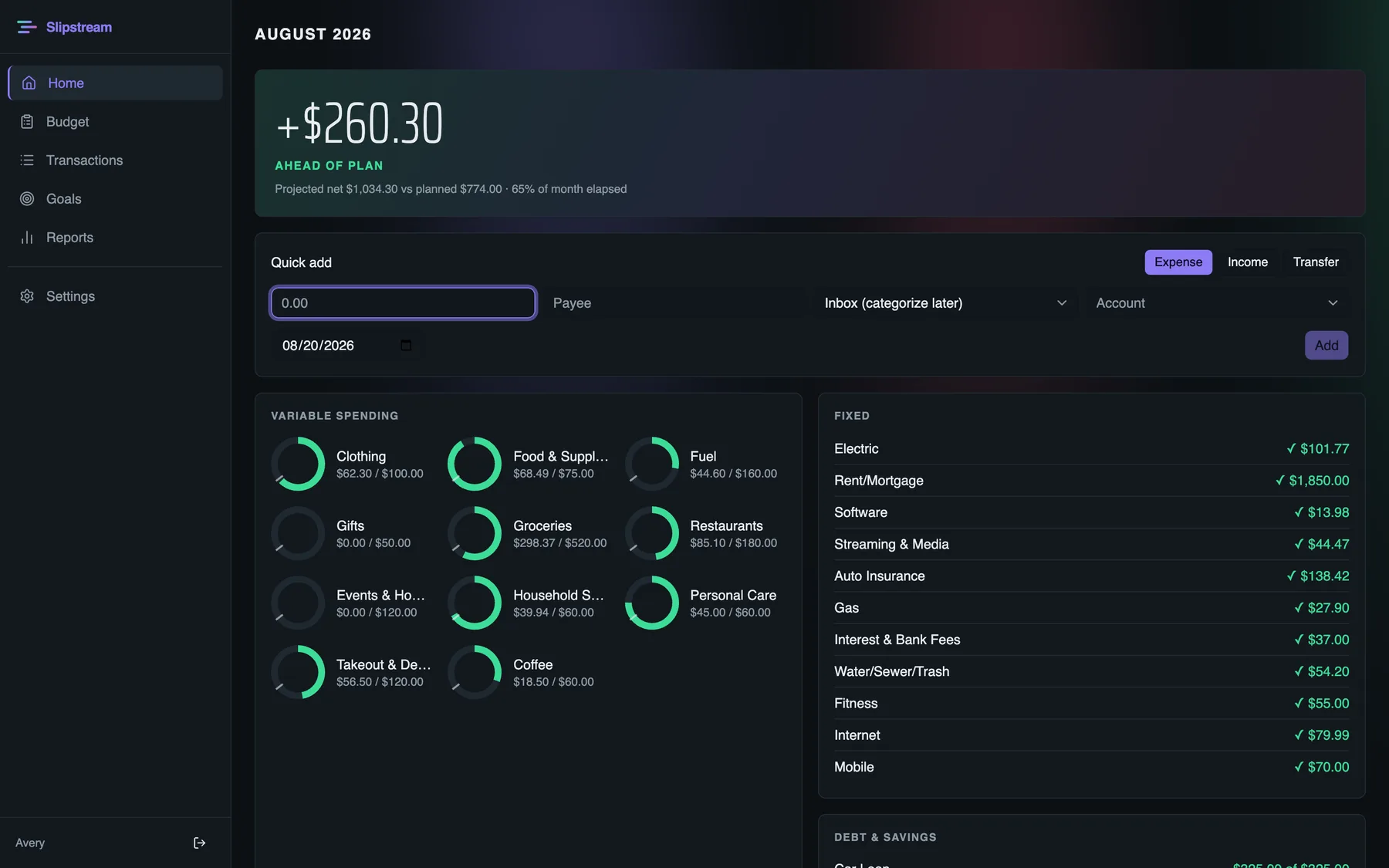
Most money apps either treat your life like a small business or bury it in features. Slipstream keeps the job simple: make a plan, get your spending in, and we give you one number to watch. That's the whole app — and it closes every month with a review that tells you exactly what happened.
You're on the list — we'll be in touch.
Early access is invite-only while we polish. No spam, ever.
Why another budgeting app
Nobody wants a second job as their own accountant.
Consumer finance software fails in two directions. One kind hands you a chart of accounts and calls the homework a feature. The other "simplifies" until all that's left is a feed of insights about money you already spent. Neither answers the only question that matters mid-month: how am I doing?
Slipstream answers it with a number, not a vibe.
How it works
The whole loop, four moves.
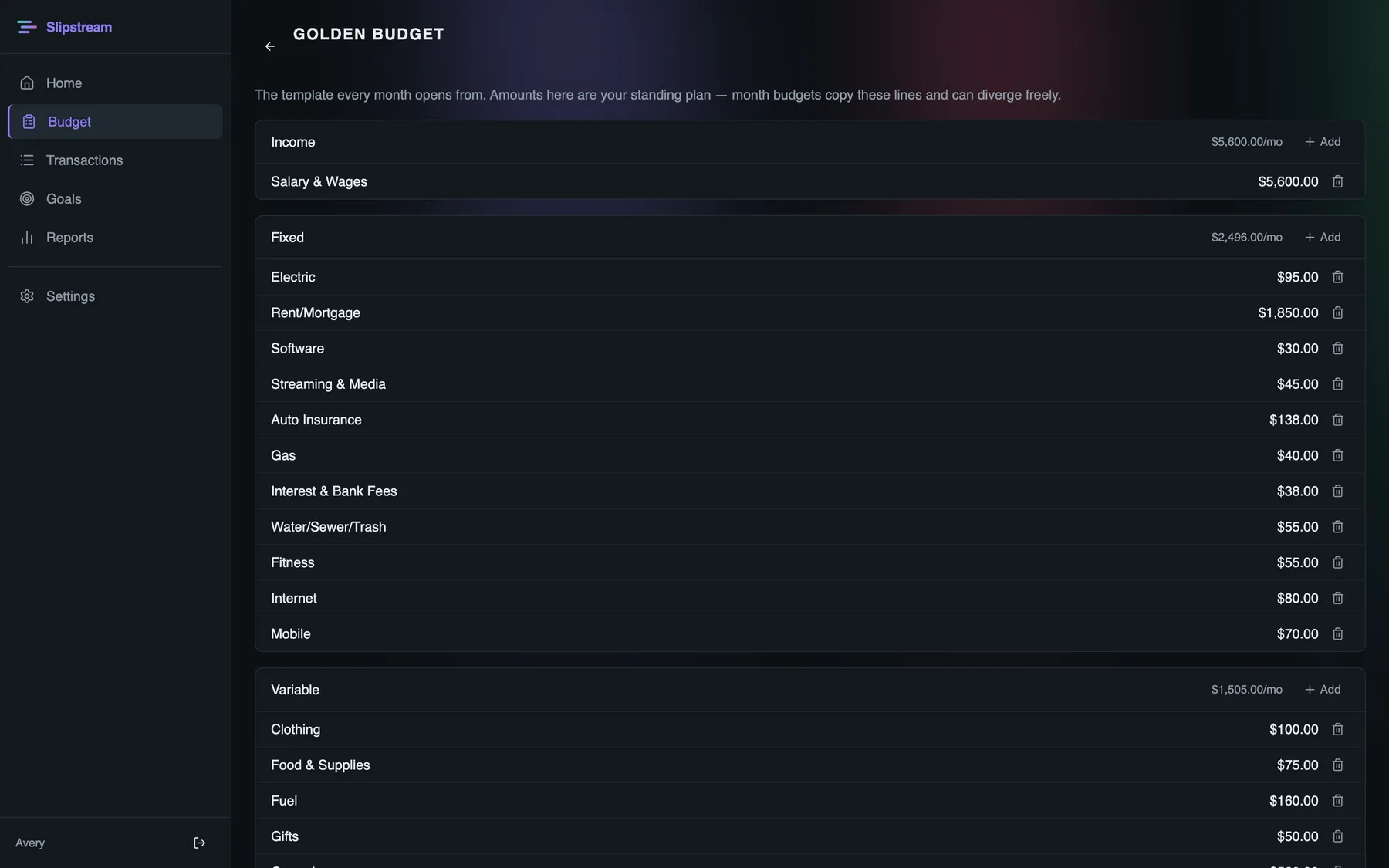
Make out your budget
Set your golden budget once: income, fixed bills, variable spending, and what goes to savings or debt each month. Every month opens from it in minutes — and can diverge when you know something needs to change.
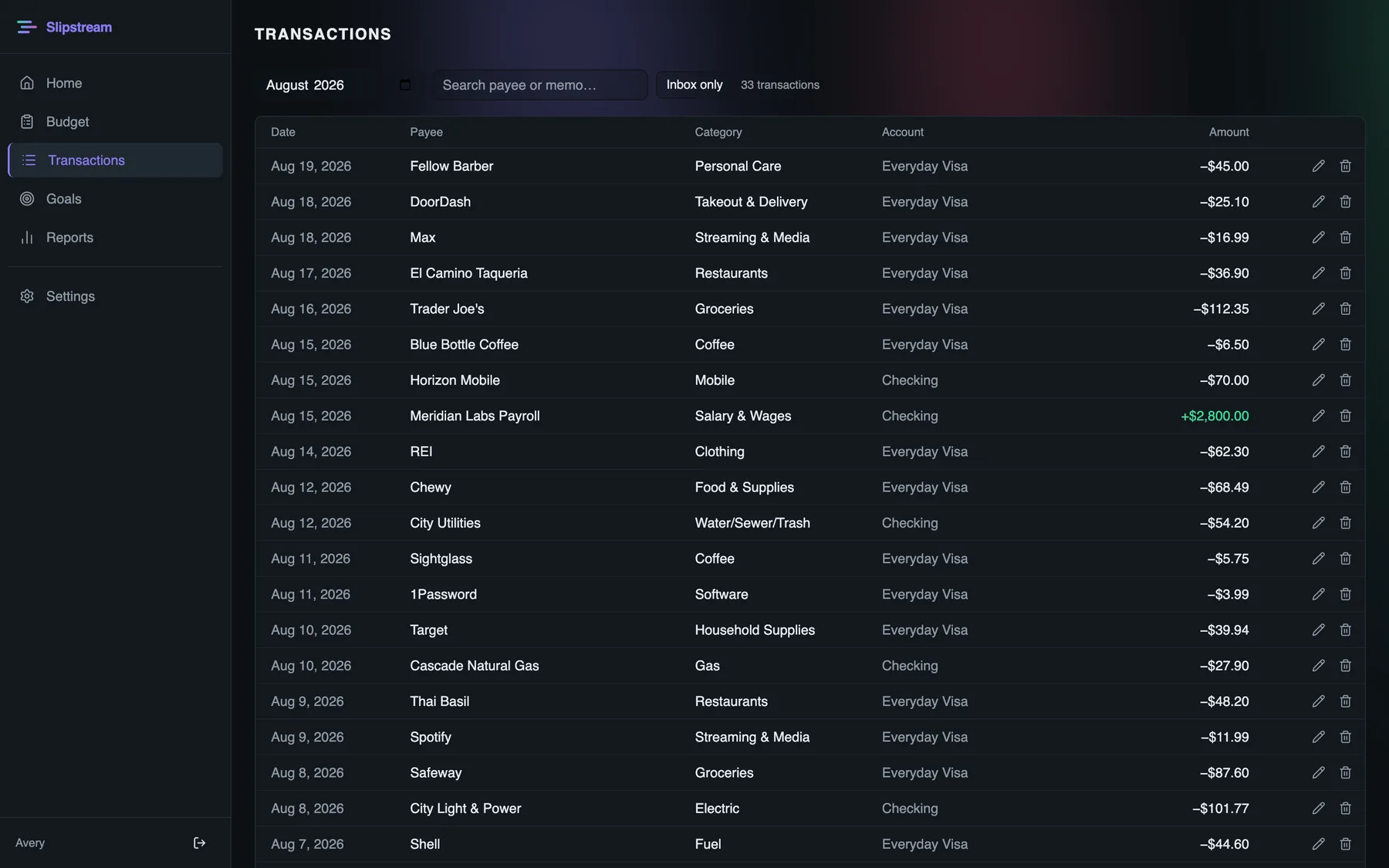
Get your spending in
Quick-add takes seconds, and known payees categorize themselves. Or skip the typing entirely: premium connects your banks and cards through Plaid and brings the transactions to you.
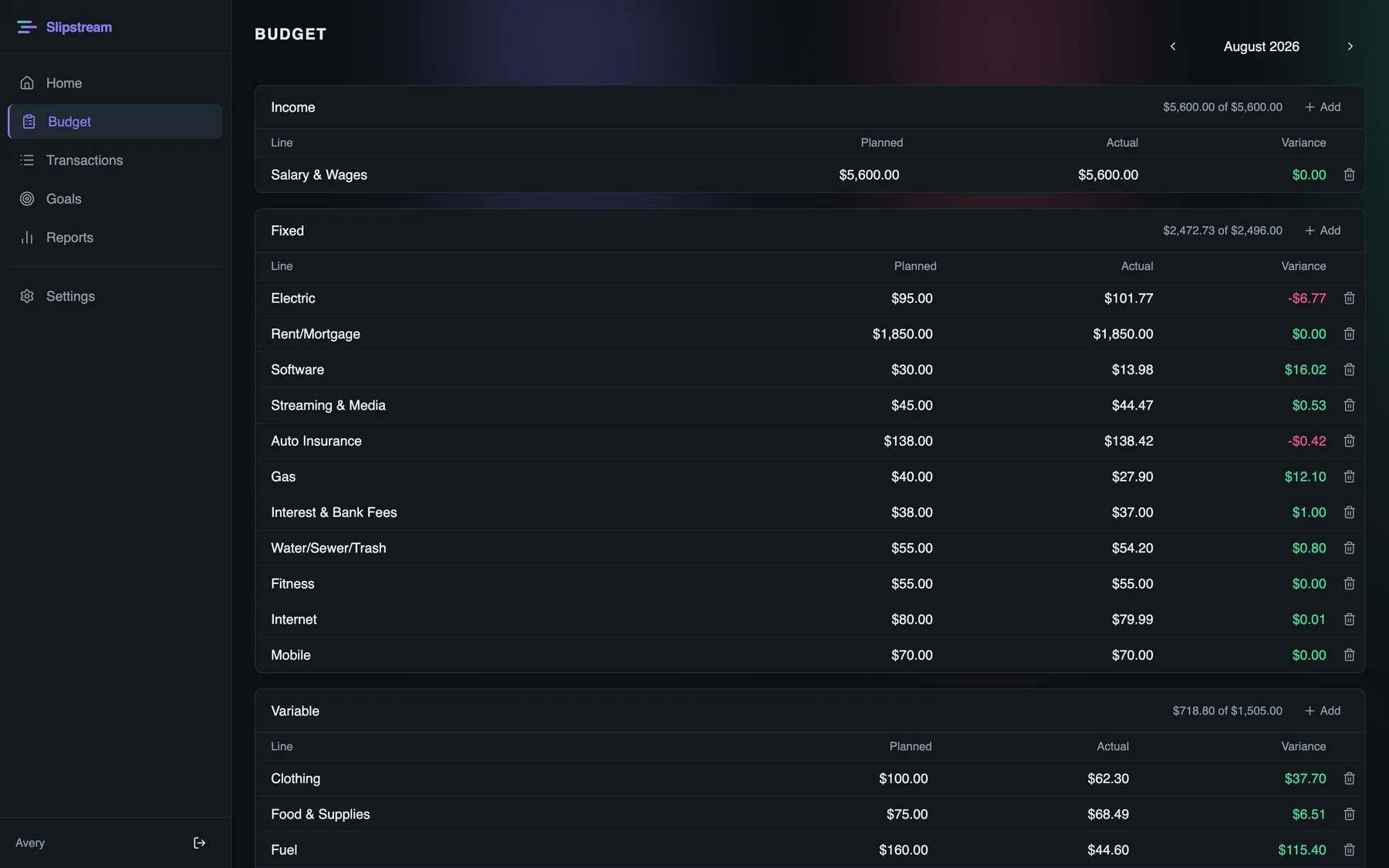
Watch the headline number
Every line shows plan, actual, and variance — and the headline projects where the month will land. Untracked spending counts against you. The number never flatters.
Close the month with a straight story
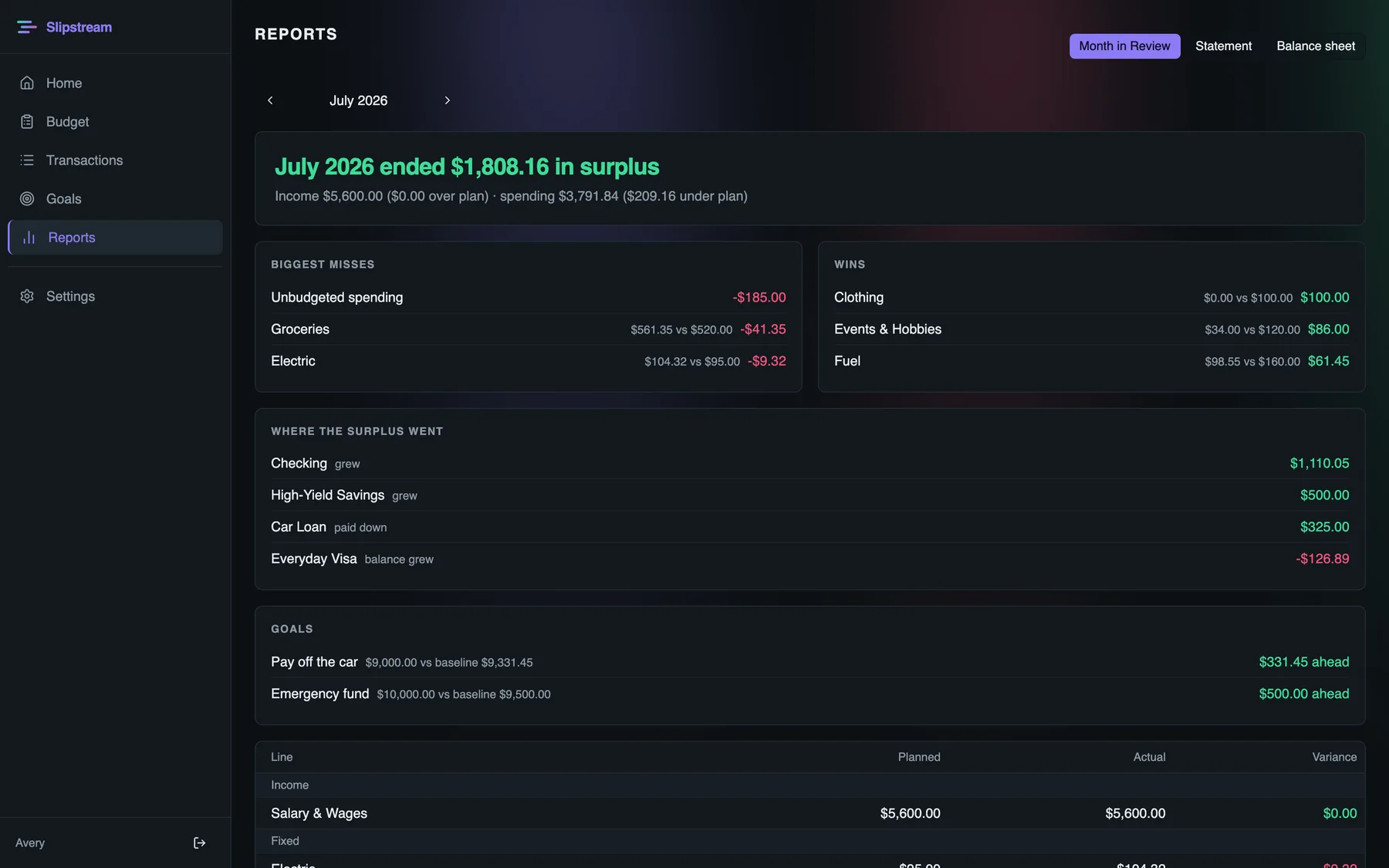
The Month in Review: what you planned, what happened, your biggest wins and misses, and where every dollar of surplus actually went. Read it, adjust the plan, go again.
Goals
Point it at something bigger.
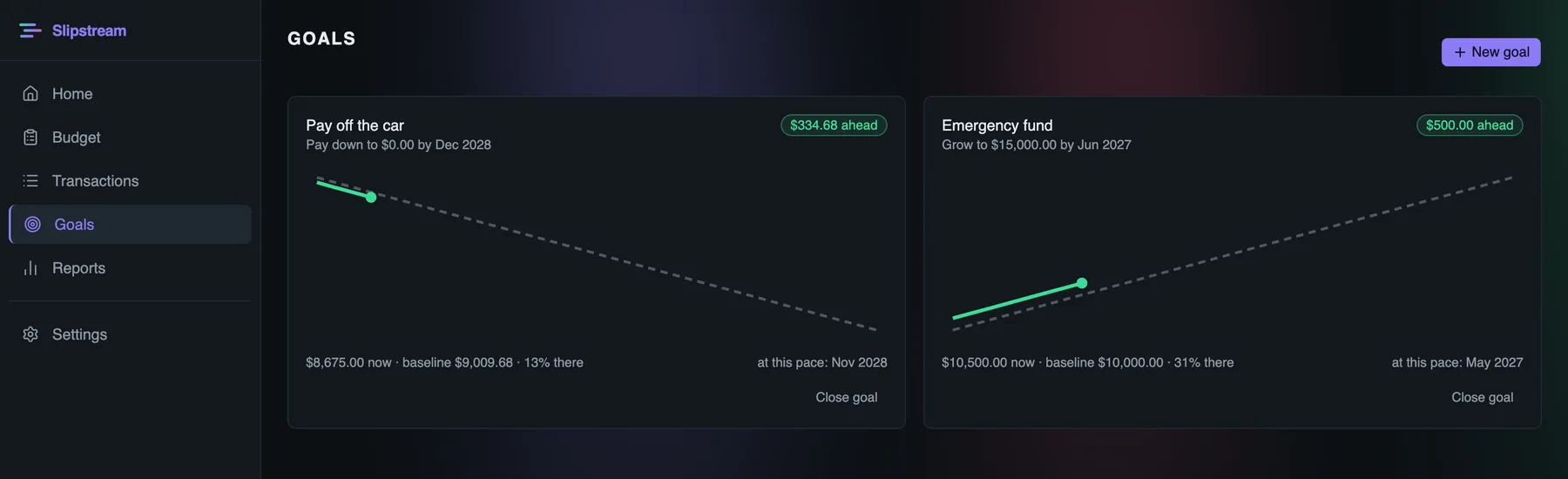
Budgets are means; goals are ends. Pay off the car, build the emergency fund — set a target and a date, and every month shows where you stand against your baseline, plus the date you'll actually hit at this pace.
Agent access
Or just talk to it.
Slipstream speaks MCP, the open protocol AI assistants use to work with real tools. Connect Claude — or any assistant that speaks it — and your budget becomes a conversation: log spending from your phone, ask how the month is tracking, have the review read back to you.
The deal
Simple on top. Serious underneath.
A budget you can hold yourself to. Finally.
We're letting people in as we polish. Leave an email and you're in line.
You're on the list — we'll be in touch.
No spam, ever. One email when your invite is ready.